Live streaming and video production
Produce, Stream, Record, and Reuse Every Broadcast
Professional live streaming, multi-camera production, remote guests, screen sharing, graphics, recording, multistreaming, audience engagement, and video hosting for organizations of any type.
Already using KingdomSuite Live? Live Login
Sources
Scenes
Destinations
Recordings
Product capability
Built for real workflows, not generic screens.
Product preview
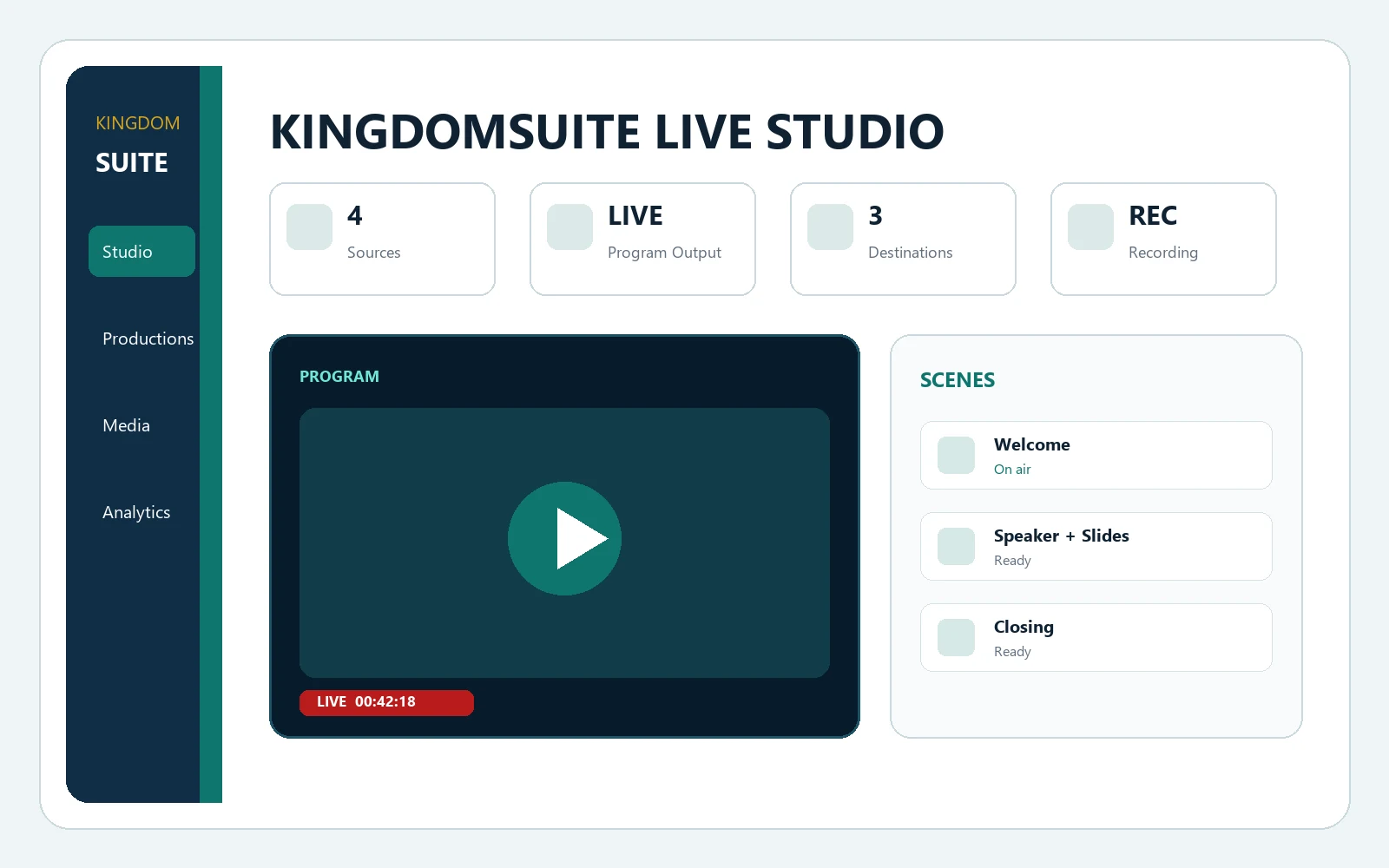
A live production workspace from source check to replay.
KingdomSuite Live organizes productions, sources, scene switching, program output, destinations, recordings, media, and broadcast health within the correct organization.
Productions
Studio
Sources
Scenes
Destinations
Recordings
Why it matters
Give any organization a professional production workflow without mixing another tenant's broadcasts, destinations, viewers, media, or recordings.
The product launches through Kingdom Suite provisioning, uses intentional product login routes, and remains isolated from every other operational system.
Produce from one workspace
Protect tenant stream credentials
Reuse recordings and media
Monitor every destination
Workflow
A practical operating path from setup to reporting.
- Create productionKingdomSuite Live keeps this work scoped to the correct organization and product.
- Invite sourcesKingdomSuite Live keeps this work scoped to the correct organization and product.
- Build scenesKingdomSuite Live keeps this work scoped to the correct organization and product.
- Connect destinationsKingdomSuite Live keeps this work scoped to the correct organization and product.
- Go liveKingdomSuite Live keeps this work scoped to the correct organization and product.
- Publish recordingKingdomSuite Live keeps this work scoped to the correct organization and product.
Best fit
Designed for the way this system is actually used.
Conferences
Webinars
Sports
Worship services
Classes
Town halls
Podcasts
Community broadcasts
Video preview
See KingdomSuite Live in action.
Take a quick visual tour of the workspace, core capabilities, and the workflow your team can use before creating an organization.
Productions
Studio
Sources
Scenes
Enterprise readiness
Security, roles, and product boundaries are part of the launch.
Every product landing page routes users to the correct system login and registration service. Operational data remains inside that product's tenant-scoped workflows.
Streaming administrator
Producer
Director
Technical operator
Guest
Tenant isolation
Audit readiness
Subscription integration
Ready to launch KingdomSuite Live?
Register a new organization for this product or sign in to an existing product workspace.